


0011.digital can implement Pipedrive for your business, from setup to full automation and training.
Contact us.Choosing the right tool for managing your projects and sales can feel like a big decision, especially in 2026. You’ve probably heard of Pipedrive and Trello, two popular options that seem to do similar things. But are they really the same? This article will break down the pipedrive vs trello debate, looking at what each tool does best and helping you figure out which one, or maybe even both, could be the right fit for your business needs.
Key Takeaways
-
Pipedrive is built for sales teams, focusing on tracking deals and managing customer relationships with features like a visual pipeline and AI assistance.
-
Trello is a flexible project management tool that uses a visual Kanban board system, making it great for organizing tasks and team workflows.
-
While both tools can be adapted, Pipedrive excels in sales automation and lead management, whereas Trello shines in task organization and visual project tracking.
-
Integration options are available for both platforms, allowing you to connect them with other apps you use, but Pipedrive generally offers a wider range of sales-specific integrations.
-
Your choice between Pipedrive and Trello, or even a combination of both, depends on whether your primary need is sales pipeline management or general project and task organization.
Understanding the Core Differences: Pipedrive vs Trello
When you’re looking to manage your business operations, two names often pop up: Pipedrive and Trello. They both help organize work, but they go about it in very different ways. Think of it like this: Pipedrive is built for a specific job, while Trello is more like a blank canvas you can adapt.
Pipedrive: A Sales-Centric Powerhouse
Pipedrive is designed with sales teams in mind. Its main goal is to help you track deals as they move through your sales process. You get a visual pipeline, which shows you exactly where each potential customer is. This helps you focus your efforts and makes sure no opportunity slips through the cracks.
For example, if you’re a salesperson, Pipedrive lets you see all your active deals laid out. You can easily move a deal from ‘Contacted’ to ‘Proposal Sent’ with a simple drag and drop. This visual approach helps you manage your day and prioritize what needs attention.
Trello: The Flexible Project Management Canvas
Trello, on the other hand, is built for general project management. It uses a system of boards, lists, and cards, similar to sticky notes on a whiteboard. This makes it really easy to see tasks and their progress at a glance.
Imagine you’re planning an event. You could have a board for ‘Event Planning’. Within that, you might have lists like ‘To Do’, ‘In Progress’, and ‘Done’. Each task, like ‘Book Venue’ or ‘Send Invitations’, would be a card you move across these lists. It’s great for teams working on various tasks that need clear tracking.
Key Distinctions in Functionality
The biggest difference lies in their primary purpose. Pipedrive is all about managing the sales cycle, from lead to close. It has features specifically for sales activities, like tracking communication and follow-ups.
Trello is more about task management and team collaboration across different types of projects. It doesn’t have built-in sales-specific tools like a deal pipeline. While you could try to make Trello work for sales, it wouldn’t be as direct or efficient as using a tool built for it.
Here’s a quick look at how they generally stack up:
-
Pipedrive: Focuses on sales pipeline management, deal tracking, and sales activity monitoring.
-
Trello: Focuses on task management, workflow visualization, and team collaboration.
Choosing between them often comes down to whether your primary need is to manage sales processes or to organize and track a variety of projects and tasks.
Navigating Features: Which Tool Offers What You Need?

When you’re looking at project management tools, the features are what really make them tick. It’s not just about having a lot of options; it’s about having the right options for how your team works. Pipedrive and Trello approach this from different angles, and understanding those differences is key to picking the one that fits best.
Pipedrive’s Sales Automation and AI Capabilities
Pipedrive is built with sales teams in mind, so its features reflect that. Think of it as a specialized tool designed to streamline the entire sales process. It offers robust tools for managing your sales pipeline, tracking every deal from lead to close. You can set up automated actions, like sending follow-up emails or assigning tasks to reps when a deal reaches a certain stage. This takes a lot of the manual work off your plate.
For example, if a prospect opens an email, Pipedrive can automatically log that activity and even prompt a sales rep to make a call. It also has AI features that can help predict which deals are most likely to close, allowing your team to focus their energy where it counts. This kind of automation is a big help for sales teams trying to manage a high volume of leads and deals efficiently. It’s about making sure no opportunity slips through the cracks. Pipedrive is a great option for sales-focused businesses looking to optimize their sales process.
Trello’s Visual Workflow and Task Management
Trello, on the other hand, is like a blank canvas for your projects. Its core strength is its visual, Kanban-style board system. You create boards for projects, then lists for stages (like ‘To Do,’ ‘In Progress,’ ‘Done’), and cards for individual tasks. Moving a card from one list to another gives you an instant visual update on progress. This makes it super easy to see what’s happening at a glance.
It’s fantastic for managing tasks, tracking assignments, and keeping everyone on the same page. You can add checklists, due dates, attachments, and comments to each card. For instance, a marketing team could use Trello to manage a content calendar, with lists for ‘Ideas,’ ‘Drafting,’ ‘Editing,’ and ‘Published.’ Each card would represent a blog post or social media update. The simplicity and visual nature make it accessible for almost any type of project or team, from small startups to larger departments.
Feature Overlap and Unique Strengths
While Pipedrive is sales-first and Trello is project-management-first, there’s some overlap. Both allow you to assign tasks, set due dates, and track progress. However, their unique strengths lie in their primary focus. Pipedrive excels at managing the customer journey and automating sales activities, making it a strong contender for sales-driven organizations. Its reporting features are geared towards sales performance metrics.
Trello’s unique strength is its flexibility and adaptability. It can be molded to fit almost any workflow, from personal task management to complex team projects. Its extensive library of ‘Power-Ups’ (integrations and add-ons) allows you to extend its functionality significantly, adding features like calendars, custom fields, or even integrations with other tools you use. This makes Trello a versatile choice when you need a project management tool that can adapt to your specific needs, rather than forcing you into a predefined structure.
Ultimately, the features you need depend on your primary goal. If your main objective is to close more deals and manage a sales pipeline, Pipedrive’s specialized tools will likely serve you better. If you need a flexible system to organize a wide variety of tasks and projects across different teams, Trello’s visual and adaptable nature might be the perfect fit.
Integration Ecosystems: Connecting Your Workflow
Connecting your project management tools to other applications you use daily can make a big difference in how smoothly your work gets done. Think about it: you don’t want to be constantly switching between different apps to copy and paste information. Both Pipedrive and Trello understand this, and they offer ways to link up with other services.
Pipedrive’s Extensive Integration Options
Pipedrive is built with sales teams in mind, so its integrations often focus on tools that help with customer relationships, marketing, and communication. You can connect Pipedrive to your email client, calendar, and even tools that help you send out marketing campaigns. This means that when a new lead comes in through your website, it can automatically create a new contact in Pipedrive, saving you manual entry time.
-
Email Integration: Sync your inbox to log communications directly against contact records.
-
Calendar Sync: Keep your appointments and follow-ups aligned across platforms.
-
Marketing Automation: Connect with tools to nurture leads without leaving Pipedrive.
The goal here is to keep all your sales-related information in one place, making it easier to track deals and follow up with prospects. For example, if you use a tool like Mailchimp for email marketing, connecting it to Pipedrive means you can see which marketing emails a contact has received and interacted with, right within their sales record.
Trello’s App Connectors and Power-Ups
Trello takes a slightly different approach with its “Power-Ups.” These are like add-ons that bring extra features and integrations directly into your Trello boards. You can add Power-Ups for things like Google Drive to attach files, Slack to get notifications, or even custom fields to add more data to your cards.
-
Communication Tools: Get updates from Slack or Microsoft Teams directly on your Trello cards.
-
File Storage: Link documents from Google Drive, Dropbox, or Box to specific tasks.
-
Time Tracking: Integrate with apps to log time spent on tasks.
Trello’s Power-Ups are designed to let you customize your boards with the specific tools your team needs, without making the interface feel cluttered. It’s about adding functionality where and when you need it.
For instance, a marketing team using Trello might add a Google Drive Power-Up to link design assets directly to a “Create Social Media Graphics” card. When a designer updates the file, everyone working on that card can see the latest version immediately.
Choosing the Right Integration Strategy
When deciding which tool’s integrations are best for you, consider what other software you rely on most. If your daily work involves a lot of customer communication and sales outreach, Pipedrive’s sales-focused integrations might be more beneficial. If you need to connect your task management to a wider variety of tools for different departments – like design, development, or general team communication – Trello’s flexible Power-Ups could be a better fit. Ultimately, the best integrations are the ones that reduce manual work and keep your team informed without adding complexity.
User Experience and Interface Design

When you’re choosing a tool to manage your projects or sales, how it feels to use it day-to-day really matters. You want something that makes sense, doesn’t get in your way, and helps you get things done faster. Let’s look at how Pipedrive and Trello stack up in this area.
Pipedrive’s Intuitive Sales Pipeline View
Pipedrive is built with the sales process in mind, and its interface reflects that. You get a clear, visual representation of your sales pipeline. Think of it like a series of stages, and your deals move from one stage to the next. This makes it easy to see where every potential customer is in the sales cycle at a glance.
-
Visual clarity: The drag-and-drop functionality for moving deals between stages is smooth and intuitive. It solves the problem of losing track of leads by providing a constant, visual overview.
-
Action-oriented design: Each deal card shows key information, so you can quickly see what needs to be done next without digging through menus.
0011.digital can implement Pipedrive for your business, from setup to full automation and training.
Contact us. -
Customizable stages: You can tailor the pipeline stages to match your specific sales process, making the tool feel like it was built just for your business.
This focus on the sales journey means that sales teams often find Pipedrive very easy to adopt. It directly addresses the need for a clear path from lead to closed deal.
Trello’s Adaptable Kanban Boards
Trello, on the other hand, offers a more flexible canvas. Its core is the Kanban board, which uses columns and cards to represent tasks and workflows. This visual approach is incredibly adaptable. You can use it for sales, marketing, software development, editorial calendars, or even personal to-do lists.
-
Simplicity and flexibility: The basic setup is straightforward: lists (columns) and cards (tasks). You can create as many lists as you need to map out any process, from initial idea to final completion.
-
Visual task management: Moving cards between lists is as simple as dragging and dropping. This visual feedback loop helps teams stay organized and track progress easily.
-
Power-Ups for customization: Trello’s Power-Ups let you add extra features and integrations, allowing you to customize the board to your specific needs without cluttering the basic interface. For example, you could add a calendar view or integrate with Respond.io for customer communication.
This adaptability means Trello can be a great fit for teams that need a project management tool that can evolve with their changing needs.
Ease of Use for Different Teams
When it comes to ease of use, both tools have strengths, but they cater to different primary users. Pipedrive’s interface is optimized for sales professionals, making it very efficient for managing leads and deals. Its structure guides users through the sales process, reducing the learning curve for those focused on sales activities.
Trello’s strength lies in its general-purpose flexibility. While it might require a bit more initial setup to define your workflow, its core drag-and-drop interface is universally understood. This makes it accessible to a wider range of teams, including those who aren’t sales-focused. For instance, an editorial team can easily map out their content creation stages, from drafting to publishing, using Trello’s adaptable boards.
Ultimately, the ‘easier’ tool depends on your team’s primary function. If you’re a sales team, Pipedrive’s specialized interface will likely feel more intuitive. If your needs are broader or more varied, Trello’s adaptable Kanban system might be the better starting point.
Pricing Structures: Value for Your Investment
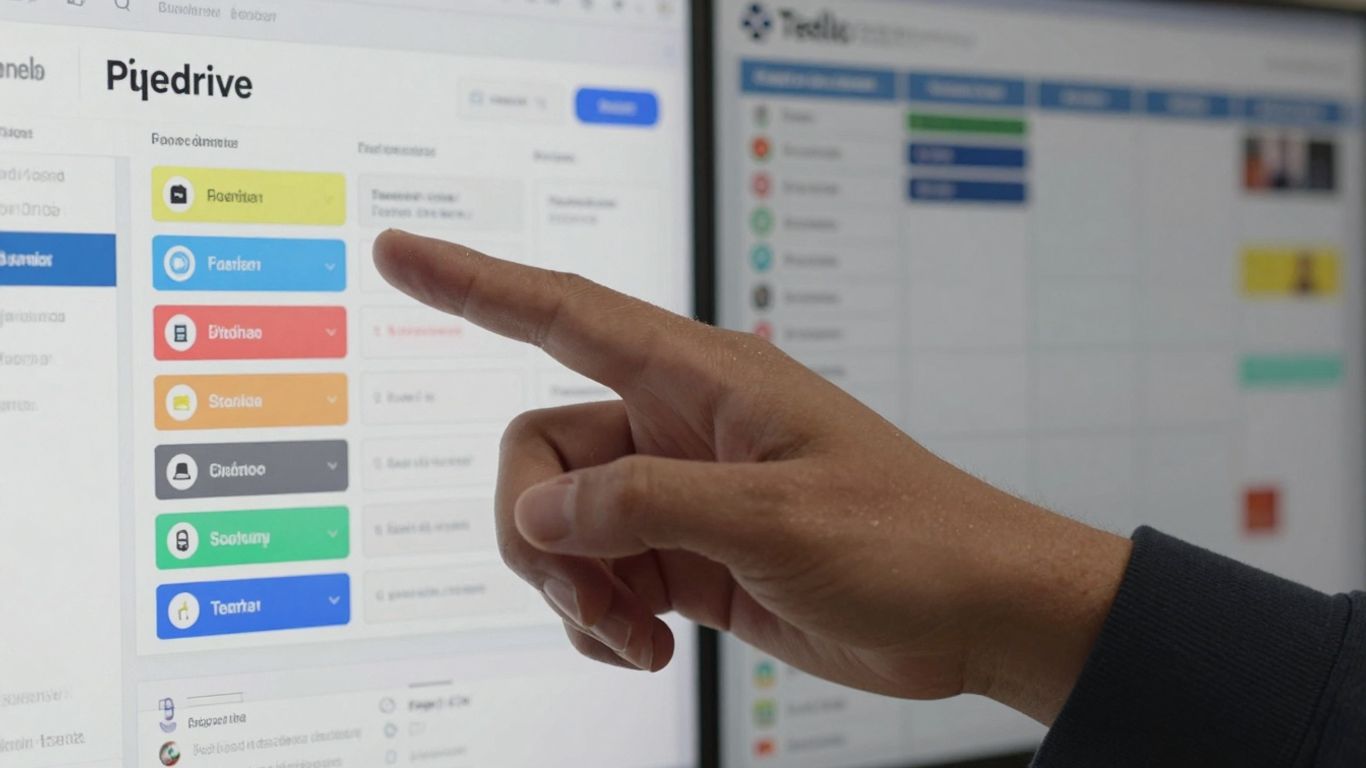
When you’re looking at project management tools, the cost is definitely a big part of the decision. You want something that fits your budget but also gives you the features you actually need to get things done. Both Pipedrive and Trello have different ways of handling their pricing, and understanding these can help you pick the right one for your business.
Pipedrive’s Tiered Plans for Sales Growth
Pipedrive structures its pricing around the idea of supporting your sales team as it grows. They offer several plans, each adding more advanced features. This means you can start with a basic setup and move up as your sales operations become more complex. The idea is to pay for what you need, when you need it, aligning costs with your sales progress.
Think about it like this: a small startup might begin with a plan that focuses on core deal management. As the company lands more clients and needs better insights, they can upgrade to a plan that includes more detailed reporting and forecasting. This approach helps manage expenses, especially when you’re just getting off the ground.
Trello’s Freemium Model and Scalable Options
Trello takes a different route with its pricing, starting with a very accessible free plan. This is great for individuals or small teams who are just getting familiar with project management or have simpler needs. You get unlimited boards, cards, and lists, which is a lot to work with without spending a dime. It’s a good way to test the waters.
As your team or project complexity grows, Trello offers paid plans that add more advanced features. These might include things like enhanced automation, more detailed views, and better administrative controls. This scalability means Trello can grow with you, from a solo freelancer managing personal projects to a larger team coordinating complex workflows. It’s about flexibility, letting you add capabilities as your requirements evolve.
Cost-Benefit Analysis for Your Business
When you’re weighing Pipedrive against Trello, it’s not just about the sticker price. You need to look at what you get for your money. Pipedrive’s plans are often geared towards sales-specific features, so if your primary goal is managing a sales pipeline, its cost might be justified by the specialized tools it provides. You’re paying for a focused sales solution.
On the other hand, Trello’s strength lies in its broad project management capabilities and its generous free tier. If your needs are more general task management, team collaboration, or visual workflow tracking, Trello can offer significant value, especially if you can operate within its free or lower-cost tiers. For businesses that need a bit of everything, you might even consider how these tools could work together, perhaps using Pipedrive for sales and Trello for internal projects, though this would involve managing two separate costs. It’s about matching the tool’s capabilities to your specific business problems and budget. If you’re looking for a robust, all-in-one solution for website building and maintenance, you might explore options like Site.Tech which offers a bundled package of premium themes and plugins.
Choosing the Best Fit for Your Business Needs
Deciding between Pipedrive and Trello really comes down to what your business does most. It’s not about which tool is ‘better’ overall, but which one fits your daily work and goals.
Ideal Scenarios for Pipedrive
Pipedrive is your go-to if your main job involves selling things. Think of a sales team that needs to keep track of potential customers, follow up on leads, and move deals through a clear process. If your business relies on a structured sales pipeline, Pipedrive makes it easy to see where every potential sale stands.
-
Sales teams that need to manage a high volume of leads.
-
Businesses that want to visualize and track their sales process from start to finish.
-
Companies looking for automated follow-ups and reminders to ensure no opportunity is missed.
For example, a small software company might use Pipedrive to track demo requests. Each request becomes a deal, moving from ‘Contacted’ to ‘Demo Scheduled’ to ‘Proposal Sent’ and finally ‘Closed Won’ or ‘Closed Lost’. This keeps the sales team focused and organized.
Pipedrive excels when the primary goal is to convert leads into paying customers through a defined sales journey.
When Trello Shines Brightest
Trello is fantastic for managing projects and tasks that don’t necessarily follow a strict sales path. If you’re running marketing campaigns, planning events, onboarding new employees, or managing content creation, Trello’s flexible boards are a great fit.
-
Project management where tasks can be broken down and moved through different stages.
-
Creative teams that need a visual way to organize ideas and workflows.
-
Cross-departmental collaboration on tasks that involve multiple people and steps.
Imagine a marketing team using Trello to plan a new product launch. They could have boards for ‘Content Ideas’, ‘Blog Posts’, ‘Social Media Schedule’, and ‘Campaign Performance’. Each card represents a task, moving from left to right as it gets done. This visual approach helps everyone see what needs to be done and who is doing it.
Hybrid Approaches for Comprehensive Management
Sometimes, one tool isn’t enough. Many businesses find success by using both Pipedrive and Trello together. You could use Pipedrive for all your sales activities and then, once a deal is closed, create a project in Trello for the customer onboarding process.
-
Sales Hand-off: Use Pipedrive to manage the sale, then create a Trello card for the customer success team to manage onboarding.
-
Marketing & Sales Synergy: Use Trello for marketing campaign planning and execution, feeding leads generated into Pipedrive for the sales team.
-
Internal Projects: Keep sales-related internal projects (like training or process improvement) in Trello, while customer-facing sales activities stay in Pipedrive.
This way, you get the best of both worlds: a powerful sales engine and a flexible project management system. It means your teams can work efficiently within their specialized tools, while still having a connected workflow.
Making Your Final Choice
So, after looking at everything, it really comes down to what you need your software to do. If your team lives and breathes sales, and you need to keep a close eye on every deal from start to finish, Pipedrive seems like the way to go. It’s built for that, with all the tools to track leads and close them faster. But if your day-to-day is more about juggling different projects, keeping tasks organized, and making sure everyone on the team knows what they need to do and when, Trello’s visual boards might be a better fit. It’s super flexible and easy to get started with. Think about your main goals – are you trying to sell more, or manage projects more smoothly? Your answer will point you toward the right tool.
Frequently Asked Questions
What is the main difference between Pipedrive and Trello?
Think of Pipedrive as a specialized tool built for sales teams. It helps you keep track of potential customers, manage deals as they move forward, and even uses smart technology to help you close sales faster. Trello, on the other hand, is more like a blank canvas for managing any kind of project. It uses a visual board system where you can move tasks around, making it great for organizing general team projects.
Which tool is better for managing sales activities?
If your main job is selling, Pipedrive is likely the better choice. It’s designed specifically to help you see your sales progress, manage leads, and automate parts of the selling process. Trello can be used for sales, but it doesn’t have the same built-in sales-focused features that Pipedrive offers.
Can Trello be used for tasks other than sales?
Absolutely! Trello is very flexible. You can use it for planning events, managing team tasks, brainstorming ideas, tracking personal to-do lists, or organizing almost any kind of project that benefits from a visual layout. Its strength is in its adaptability for various types of work.
How do Pipedrive and Trello connect with other apps?
Both tools can connect to many other apps, but Pipedrive generally offers more options, especially for sales-related software. Trello also has many connections, often called ‘Power-Ups,’ which add extra features to your boards. You can also use tools like Zapier to link them to thousands of other applications.
What about the cost? Which one is more affordable?
Trello has a free version that’s great for individuals or small teams just starting out. Its paid plans are also quite affordable. Pipedrive does not have a free plan, but its starting paid plans are competitive, especially if you need its specialized sales features. The best value depends on what features you actually need.
Which tool is easier to learn and use?
Trello is often considered easier to pick up because its visual board system is very straightforward. Pipedrive has a learning curve, especially if you’re new to sales software, but its interface is designed to be intuitive for managing sales processes once you get the hang of it.
0011.digital can implement Pipedrive for your business, from setup to full automation and training.
Contact us.