

0011.digital can implement Pipedrive for your business, from setup to full automation and training.
Contact us.Finding the right customer relationship management (CRM) system can feel like a big task, especially with so many options out there. You want a tool that helps your team connect better with clients, keep track of deals, and generally make selling smoother. This guide is here to help you figure out the best CRM for your business in 2026. We’ll look at some top contenders and what makes them stand out, so you can stop juggling spreadsheets and start focusing on what really matters: your customers.
Key Takeaways
- A good CRM brings all your customer information together in one place, so no more digging through emails or old notes.
- Automation in a CRM can handle repetitive tasks, freeing up your team to build relationships and close deals.
- Choose a CRM that can grow with your business; you don’t want to switch systems every year.
- Simple and easy-to-use systems often work best, especially for smaller teams.
- The best CRM for you depends on your specific needs, budget, and how your team works.
Salesforce
When you’re looking at customer relationship management tools, Salesforce often comes up. It’s a big name, especially for larger companies that need a lot of flexibility and power. Think of it as a highly customizable system that can be shaped to fit very specific business processes.
Salesforce is built to handle complex sales operations. If your team deals with many different types of customers, has a global reach, or needs to connect with a lot of other software, Salesforce can manage that. It aims to give you a complete picture of your customer interactions, pulling data from various places into one spot. This helps avoid duplicate information and makes sure everyone on your team sees the same customer story.
For example, imagine a company with a large sales force spread across different countries. Salesforce can help track every lead, every conversation, and every deal, no matter where it happens. It can automatically log emails and meetings from your work accounts, so sales reps don’t have to spend time manually entering this data. This keeps their focus on selling, not on administrative tasks.
The platform is designed to grow with your business, offering deep customization for unique workflows.
Here’s a look at some of its capabilities:
- Unified Customer View: It brings together customer information from different sources. This means you get a single, up-to-date profile for each customer, reducing confusion and providing a clear history.
- Automated Activity Capture: Tools can connect to your email and calendar, automatically recording interactions. This saves time and makes sure no important communication is missed.
- Security and Compliance: For businesses with strict rules about data privacy, Salesforce offers features to help meet those requirements, like options for data location and advanced security measures.
While Salesforce offers a lot of power, it’s important to know that it can take time to learn and set up. For teams new to this kind of system, there’s often a learning curve involved. Getting it just right might mean bringing in experts to help with the setup, which is something to consider for your budget and timeline.
If your organization has intricate sales processes, requires robust data security, and needs a system that can adapt to many different needs, Salesforce is definitely a platform worth exploring.
HubSpot
HubSpot started as a marketing tool, but it’s grown into a full platform for businesses. Think of it as a central hub where your marketing, sales, and customer service teams can all work together. It’s built around the idea of "inbound marketing," which means attracting customers by creating useful content and experiences tailored to them.
What’s neat is that HubSpot is broken down into different "Hubs" – like Marketing Hub, Sales Hub, Service Hub, and so on. You can start with just one, maybe the Sales Hub if you need CRM features, and then add others as your business grows. This modular approach means you don’t have to pay for everything at once.
For sales teams, the Sales Hub offers tools to manage contacts, track deals through customizable pipelines, schedule meetings without back-and-forth emails, and see when prospects open your emails or view your documents. It even has features to help reps follow proven sales processes.
One of the big problems HubSpot aims to solve is scattered information. Instead of having customer data in spreadsheets, email inboxes, and separate apps, it all lives in one place. This makes it easier for everyone on your team to see the full picture of a customer’s interaction with your company.
HubSpot’s strength lies in its interconnectedness. When marketing generates a lead, sales can see that lead’s history immediately. When a sale is made, customer service can access the deal details to provide better support. This flow of information helps create a smoother customer journey.
HubSpot also plays well with other software. It has a large app marketplace with over 1,000 integrations, connecting with tools you likely already use for productivity, e-commerce, accounting, and more. This means you can often keep your existing tools while still getting the benefits of a unified CRM system. For example, when a deal closes in HubSpot, it can automatically trigger actions in other apps, like creating an invoice in QuickBooks or sending a welcome email through Mailchimp.
Here’s a look at some of the core functionalities:
- Contact Management: Keep all your customer and prospect information organized in one place.
- Deal Tracking: Visualize your sales process with customizable pipelines.
- Email Tracking: Know when your emails are opened and links are clicked.
- Meeting Scheduler: Let prospects book time with you directly on your calendar.
- Reporting Dashboards: Get insights into your sales performance and marketing campaign effectiveness.
While HubSpot offers a free plan with basic tools, many advanced features are part of paid plans. The pricing can add up if you need multiple Hubs or advanced features within a single Hub, so it’s worth looking closely at what you need before committing.
Zoho CRM
Zoho CRM is a solid choice if you’re looking for a system that brings your sales, marketing, and customer support together. It’s built with a focus on privacy and gives you a clear view of your customer interactions across different channels. This makes it a good fit for businesses that are growing and need to understand their customers better without spending a fortune.
Think about a situation where a customer contacts you through email, then calls your support line, and later engages with a marketing campaign. Zoho CRM can track all these touchpoints. It shows you a timeline of these interactions, so you can see the full picture of your relationship with that customer. This helps your sales team know exactly when and how to follow up, preventing missed opportunities.
Zoho CRM helps you keep track of everything your customer does, from the first email to the final sale.
Here are some ways Zoho CRM helps you manage your customer relationships:
- SalesSignals: You get real-time alerts when prospects interact with your emails or visit your website. This means you know the best time to reach out.
- 360° Customer View: All information about a customer is in one place. This includes every conversation, email, and past interaction.
- Extended Activity History: You can see a history of activities going back a few years. This helps you understand longer sales cycles and customer behavior patterns.
Zoho CRM also offers tools like Blueprint for designing sales processes and Canvas for creating custom layouts. It integrates with other Zoho applications for finance and marketing, making it a connected system.
For businesses that handle sensitive customer data, Zoho CRM offers built-in compliance features, which can be a significant relief for managing regulatory requirements.
Monday CRM
When you’re trying to keep track of leads and deals, spreadsheets and scattered notes just don’t cut it anymore. You end up spending more time searching for information than actually talking to customers. Monday CRM aims to fix that by putting everything in one place.
It’s designed to be a central hub for all your client interactions and deal progress. This means your sales team can stop digging through emails and different apps to find what they need. Instead, they have a clear view of every contact, every conversation, and where each deal stands. This kind of organization helps prevent missed opportunities and keeps the sales process moving.
Think about a typical sales day. Without a CRM, a rep might spend an hour just updating contact details, logging calls, and figuring out who to follow up with next. With Monday CRM, many of these administrative tasks can be automated. This frees up that time so your team can focus on building relationships and closing sales. It’s about shifting from busywork to actual selling.
Monday CRM also helps with understanding your sales pipeline. You can see at a glance which deals are moving forward, which ones are stuck, and where your team’s efforts are best spent. This visibility is key for managers to coach their teams effectively and for leadership to make informed decisions about business growth.
Here’s how it helps solve common problems:
- Lost Information: Consolidates all client data, conversations, and deal history into a single system, so nothing gets lost in the shuffle.
- Wasted Time: Automates repetitive tasks like data entry and follow-up reminders, giving your team more time to sell.
- Lack of Visibility: Provides a clear overview of the sales pipeline, allowing for better tracking of deals and team performance.
For example, imagine a scenario where a potential client calls with a question. With Monday CRM, the sales rep can instantly pull up the client’s entire history – past interactions, previous purchases, and current deal status – all within seconds. This allows for a more informed and personalized response, which can make a big difference in closing the deal. It’s about making your sales process more efficient and effective, helping your business grow.
The goal is to make your CRM work for you, not against you. If the system is too complicated or doesn’t fit how your team actually works, it just becomes another tool that gets ignored. Monday CRM tries to be flexible enough to adapt to different sales processes while still being easy to use.
Pipedrive
Pipedrive is a CRM built by salespeople, for salespeople. Its main focus is on making your sales process clear and easy to manage. If you find other CRMs too complicated, Pipedrive might be just what you need.
The core of Pipedrive is its visual sales pipeline. Imagine a board where each deal is a card. You can easily drag and drop these cards from one stage of your sales process to the next. This visual approach helps you see exactly where every potential sale stands at a glance. No more digging through menus to find out what’s happening with a deal.
This system is great for solving the problem of lost deals due to disorganization. When a deal card shows it’s stuck in a stage for too long, Pipedrive can alert you. This helps you remember to follow up, preventing opportunities from going cold. It’s like having a helpful assistant reminding you of what needs to be done next.
Here’s how Pipedrive helps you stay on top of your work:
- Activity-Based Selling: Pipedrive encourages you to schedule the next action for every deal. Whether it’s a call, an email, or a meeting, the system prompts you to plan it. This keeps your sales activities consistent and productive.
- Email Tracking: You can see when prospects open your emails or click on links. This gives you insight into their interest level, helping you time your follow-ups more effectively.
- Smart Contact Data: Pipedrive can automatically pull in public information about your contacts and their companies. This saves you time on data entry and ensures your contact records are more complete.
For example, a small business owner using Pipedrive might have their pipeline stages set up as "New Lead," "Contacted," "Demo Scheduled," "Proposal Sent," and "Closed Won/Lost." When a salesperson has a call with a new lead, they simply drag the deal card to "Contacted." If they schedule a demo, it moves to "Demo Scheduled." This visual flow makes it simple to track progress and identify bottlenecks.
Pipedrive is designed to reduce the mental load on sales teams. By making the sales process visual and prompting for clear next steps, it helps reps focus on selling rather than managing complex software. This simplicity is a major advantage for teams that want to get up and running quickly.
If you’re looking for a straightforward way to manage your sales and ensure no deal falls through the cracks, Pipedrive offers a practical solution. It’s a tool that supports the daily rhythm of sales work, making it easier to close more business. You can explore more about managing customer conversations on platforms like respond.io to complement your CRM efforts.
Odoo
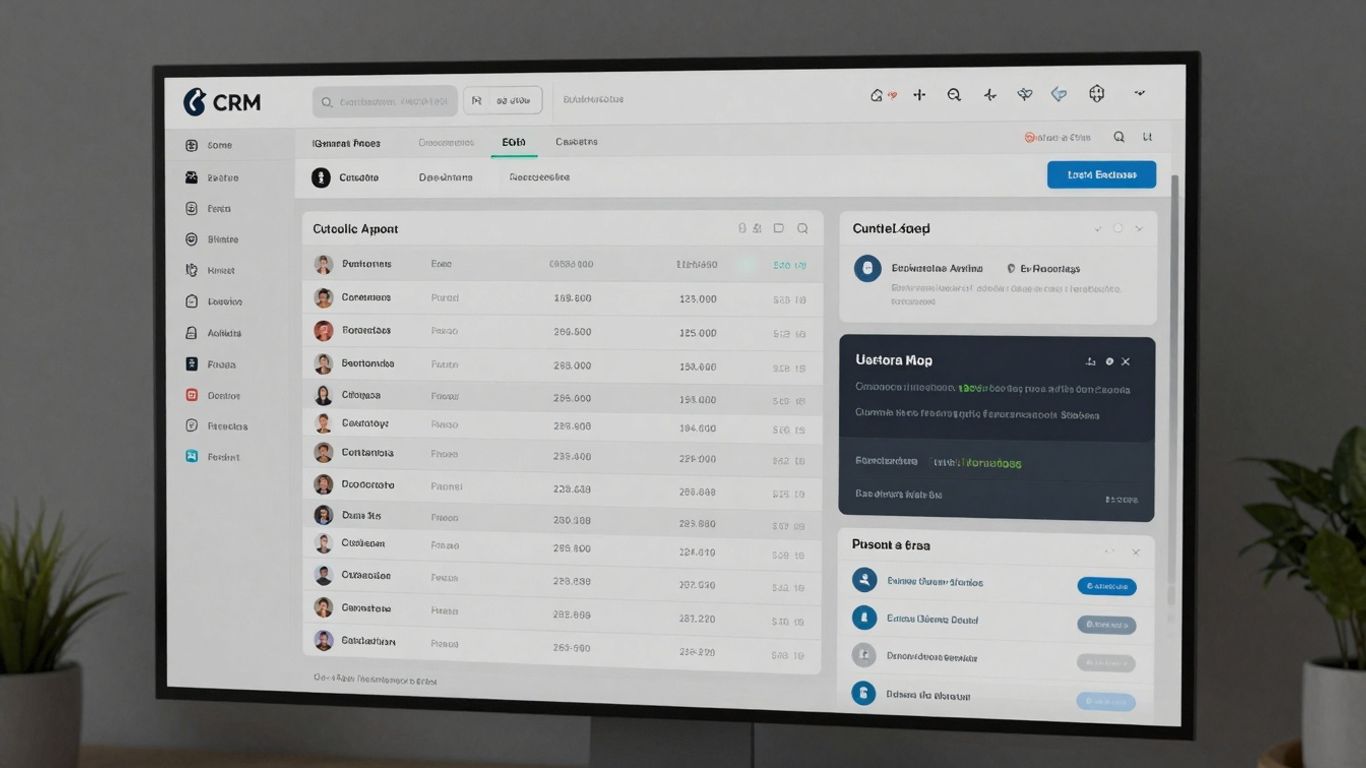
Odoo CRM is part of a larger suite of business management tools, which means it can grow with your company. Think of it like building blocks; you can start with just the CRM and add other functions like accounting, inventory, or project management as your needs change. This makes it a good choice if you want a single system to handle many parts of your business.
For example, if you run a small business that sells products, Odoo CRM can connect directly to your inventory and billing systems. When a sale is made in the CRM, it can automatically update your stock levels and generate an invoice. This avoids the hassle of manually transferring information between different software, reducing errors and saving time.
0011.digital can implement Pipedrive for your business, from setup to full automation and training.
Contact us.Odoo’s strength lies in its integrated ecosystem, allowing different business functions to work together smoothly.
Here are some ways Odoo CRM can help:
- Manage your sales pipeline visually: You can see all your deals in a Kanban view, moving them from one stage to the next with a simple drag and drop. This gives you a clear picture of where your sales stand.
- Score leads automatically: Odoo can help you identify which leads are most likely to become customers. This means your sales team can focus their efforts on the most promising prospects.
- Connect with other Odoo apps: If you use Odoo for accounting or inventory, the CRM works hand-in-hand with these modules. This unified approach simplifies operations.
Odoo is particularly useful for businesses that want their CRM to be deeply connected to other operational aspects like stock management or project tracking. It’s designed to be a central hub for your business activities.
While Odoo offers a free plan if you stick to just one application, adding more modules or features typically requires a paid subscription. The setup can sometimes be a bit involved, especially if you’re not familiar with business software, but the benefit is a highly customized and integrated system.
Insightly
Insightly is a CRM that really focuses on making sure your data is secure. If you’re dealing with sensitive customer information, this is a big plus. They offer a lot of controls for administrators, like setting who can see what and what different users can do. This helps keep things organized and protected.
It’s a good choice for businesses that need strong privacy features. For example, if you’re in healthcare or finance, where data protection is super important, Insightly’s compliance with things like HIPAA and GDPR is a serious benefit. You can set up specific user roles and permissions to control access, which is handy for larger teams or when working with confidential client details.
Insightly also provides tools for managing projects alongside your customer relationships. This means you can track a deal from the first contact all the way through to project completion, all within the same system. It helps keep your sales and project teams aligned.
Here’s a look at some of its capabilities:
- Contact Management: Keep all your customer details in one place.
- Project Management: Track tasks, milestones, and deadlines for client projects.
- Sales Forecasting: Get a better idea of future sales based on your pipeline.
- Customizable Reports: Build reports that show you the data you care about most.
While Insightly offers robust security and project management, it’s worth noting that some advanced features and integrations might come at an additional cost. You’ll want to carefully review the different plan levels to ensure you’re getting everything your business needs without unexpected expenses.
For businesses that prioritize data security and want to link sales efforts directly to project outcomes, Insightly presents a solid option. You can explore how it fits into your workflow by looking at CRM software features that align with your business needs.
Key Takeaways
Choosing the right Customer Relationship Management (CRM) system is a big step for any business. It’s not just about picking a piece of software; it’s about finding a tool that genuinely helps your sales team work smarter and connect better with customers. Think of it as the central hub for all your customer interactions, making sure no opportunity slips through the cracks.
A well-chosen CRM consolidates all your customer information into one accessible place. This means no more digging through scattered spreadsheets or endless email chains to find a contact’s history or a specific deal detail. Everyone on your team has a clear view of each customer, from initial contact to the final sale and beyond. This unified view helps you understand your customers on a deeper level and respond more effectively.
Here’s what really matters when you’re looking at CRM options:
- Unified Customer View: All contact details, interaction history, and deal progress are in one spot. This helps prevent miscommunication and ensures a consistent customer experience.
- Automation of Tasks: CRMs can handle repetitive administrative work, like logging emails or scheduling follow-ups. This frees up your sales reps to focus on building relationships and closing deals, which is what they do best.
- Adaptability to Your Process: The best CRMs don’t force you into a rigid way of working. They should be flexible enough to match your unique sales methodology, allowing you to build workflows that make sense for your team.
- Mobile Accessibility: Sales happen everywhere. Your CRM needs to be fully functional on smartphones and tablets so your team can update information and access details on the go, whether they’re at a client site or traveling.
Implementing a CRM is more than just installing software; it’s about changing how your team operates. Success hinges on adoption. If your team doesn’t use it, it’s just an expensive database. Focus on ease of use, clear benefits, and ongoing support to make sure it becomes an indispensable part of your daily workflow.
Ultimately, the goal is to find a CRM that removes friction from your sales process, not adds to it. It should be a tool that your team actually wants to use because it makes their jobs easier and helps them achieve their targets. By focusing on these core aspects, you can select a CRM that truly drives revenue and strengthens customer relationships.
Essential CRM Software Features
When you’re looking for a CRM, it’s easy to get lost in all the options. But really, a good system boils down to a few key things that help your team work smarter, not harder. Think of it as giving your sales folks the right tools so they can actually focus on selling.
First off, you need a clear view of your customers. This means having a place where all the information about a contact lives – not just their name and email, but who they report to, who the real decision-makers are, and any past interactions. It’s like having a cheat sheet for every conversation, so you know exactly who to talk to and what to say.
A unified client timeline is a game-changer for understanding your relationships. Imagine looking at one screen and seeing every email, call, meeting, and note related to a specific client. No more digging through old messages or asking colleagues for updates. This single source of truth means everyone on the team is on the same page, preventing missed opportunities or duplicate efforts.
Then there’s pipeline management. You’ve got deals moving through different stages, right? A CRM should let you see this visually, often on a board where you can drag and drop deals as they progress. This makes it super easy to spot bottlenecks and know what needs attention next. It’s like a visual progress report for your entire sales process.
Automation is another big one. Think about all the repetitive tasks your team does – sending follow-up emails, updating records, setting reminders. A good CRM can handle a lot of this automatically. You can set up workflows that trigger based on certain actions, like sending a welcome email when a new lead comes in or creating a task for a follow-up call a few days later. This frees up your team’s time for more important things, like talking to customers.
Automating routine tasks means your team spends less time on admin and more time building relationships and closing deals. It’s about working efficiently so you can achieve more.
Integration with other tools you already use is also key. If your team uses Gmail or Outlook, the CRM should sync with your inbox to automatically log emails. If you use other business software, check if the CRM can connect with it. This avoids data silos and makes sure information flows smoothly between systems.
Finally, you need access on the go. Sales don’t just happen at a desk. Your CRM should have a solid mobile app so you can update deal information, check contact details, or log a call right after a meeting, whether you’re at a client’s office or grabbing coffee. This keeps your data current and your team productive, no matter where they are.
5 Steps To Successful Implementation
Getting your team to actually use a new CRM can feel like a challenge. Many companies announce a new system, give a quick training, and then wonder why adoption is low. A successful rollout needs a solid plan that gets everyone on board from the start. This is how you do it.
Step 1: Run a Pilot Program
Instead of a big, company-wide launch, start small. Pick a few adaptable team members for a 30-day pilot using real client information. This group acts as your early warning system, helping you find any issues and confirm workflows before everyone else starts using it. This approach helps you understand the existing chaos before you try to fix it.
Step 2: Map Your Current Processes
Before you can improve anything, you need to know how things work now. Document every step of your client interactions, from the first contact to the final sale. Figure out where deals tend to get stuck or where information gets lost. The goal isn’t a perfect diagram, but to see where the current system isn’t working so the CRM can help.
Step 3: Automate Simple Tasks
Look for easy wins first. Set up simple automations for things like follow-up reminders, assigning tasks, or notifying the team about new leads. This gets rid of repetitive work that takes up your team’s time. It’s about making daily tasks easier, not building a fully automated system right away.
Step 4: Empower Your Champions
Your pilot group can become your internal support team. Give them extra training and let them show their colleagues how the CRM helps. People often trust advice from a coworker more than a manual or a formal presentation. Their experience can really help others see the value.
Step 5: Track, Adjust, and Improve
Getting people to use the CRM is an ongoing effort. Keep an eye on how it’s being used and, more importantly, talk to your team. Find out what’s working and what could be better. The best CRM setup changes as your team learns and grows, eventually becoming second nature for everyone.
Wrapping It Up: Your Next Steps
So, you’ve made it through our guide to the best CRMs for 2026. Choosing the right system can feel like a big decision, and honestly, it is. But remember, the goal isn’t to find the fanciest software, it’s to find the tool that actually helps your team sell better and work smarter. Think about what your team really needs – simplicity, automation, or maybe just a clear view of your sales pipeline. Don’t be afraid to try out a free trial or two. Getting a feel for how a CRM works with your actual day-to-day tasks is the best way to know if it’s a good fit. By picking a system that fits your workflow and grows with you, you’ll be setting your business up for smoother sales and happier customers. Good luck out there!
Frequently Asked Questions
What is a CRM and why do small businesses need one?
A CRM, or Customer Relationship Management system, is like a super-organized digital notebook for your business. It keeps all your customer information, like their contact details, past purchases, and conversations, in one easy-to-find place. Small businesses need one because it helps you remember important details about your customers, so you can give them better service and build stronger relationships. This often leads to more sales and happier customers, instead of losing track of things in scattered notes or spreadsheets.
How can a CRM help my sales team sell more effectively?
A CRM acts as your sales team’s best friend. It helps them keep track of every potential customer (lead) and every deal they’re working on. Instead of spending time searching for information or remembering to follow up, the CRM can remind them. It also helps them see which deals are moving forward and which might need extra attention, allowing them to focus their energy on building relationships and closing sales.
Is it difficult to set up and start using a new CRM system?
Setting up a new CRM can seem like a big task, but it doesn’t have to be overwhelming. The best approach is to start small, perhaps with a pilot group of your team, to test it out with real customer information. This way, you can find any tricky spots and fix them before everyone starts using it. Many modern CRMs are designed to be easy to use, so your team can start benefiting from them fairly quickly.
Can a CRM connect with other tools my business already uses?
Absolutely! Most modern CRMs are built to work with other popular business tools, like your email program (Gmail or Outlook) or marketing software. This connection, called integration, means information flows smoothly between your systems, so you don’t have to enter the same details multiple times. It’s important to check if a CRM can connect with the tools you rely on most to avoid creating more work.
How does AI play a role in modern CRM systems?
Artificial Intelligence, or AI, is becoming a big help in CRMs. Think of it as a smart assistant that can handle repetitive tasks for you. AI can help sort through customer emails to pull out important information, suggest the best time to contact a customer, or even flag deals that might be in trouble. This frees up your team to focus on the more human parts of sales and customer service.
What are the most important features to look for in a CRM for a small business?
When choosing a CRM, focus on features that directly help you manage customers and sales. Key things to look for include a clear way to see all your customer information in one place, tools to track your sales deals from start to finish, and simple ways to automate tasks like sending follow-up emails. Also, make sure it’s easy to use on your phone, as deals often happen on the go. Don’t get distracted by fancy features you won’t use; prioritize what helps your team work smarter.
0011.digital can implement Pipedrive for your business, from setup to full automation and training.
Contact us.